Focus Tools
Plan Pomodoro blocks before you sit with Memorie
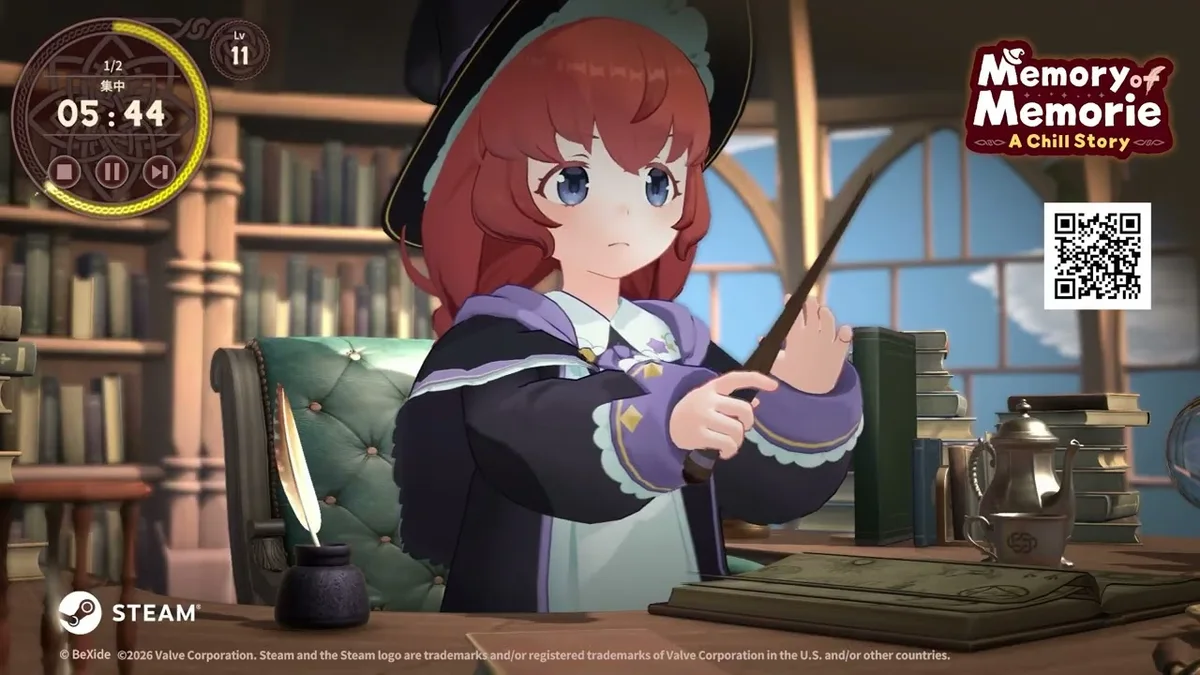
These fan-made tools complement Memory of Memorie : A Chill Story without replacing the in-game Pomodoro timer. Use them to plan homework nights, estimate how many blocks until your next key, or tune work/break intervals before applying settings at Memorie’s desk in Elmana Village.
BeXide Inc. does not endorse external calculators, but they mirror official one-minute step rules from Pomodoro Timer system.
Available tools
| Tool | Link | Use case |
|---|---|---|
| Focus Session Planner | Open planner | Schedule multi-block evenings |
| Pomodoro Settings Helper | Tune intervals | Preview work/break totals |
| Focus Time Estimator | Estimate XP time | Guess level-ups before playing |
When to use tools vs game
Plan before launch with tools; execute inside the game so calendar and achievements register. Do not run parallel timers—single source of truth stays in-game.
Extended reference
This section adds practical context for fan wiki productivity tools in Memory of Memorie : A Chill Story. BeXide Inc. released the title in July 2026 on Steam (Windows and macOS), Nintendo Switch, and Nintendo Switch 2 Edition. You play beside Memorie, an apprentice witch in Elmana Village, progressing through honest Pomodoro focus rather than combat grinding.
Keys arrive from experience level-ups after completed work blocks. Spend them at the Lightroot Tree for story beats or on room unlocks and magic unlocks documented in the Unlocks hub. The in-game calendar logs finished sessions—pair calendar streaks with Achievement Tips when hunting all 15 Steam achievements.
Platform parity matters for daily habits. Switch handheld sessions should still use in-game timer completion so calendar dots and XP register; PC players alt-tabbing during blocks risk losing focus without pausing real-world obligations. Demo veterans migrating saves should read Demo Progress Carryover before assuming key balances match a fresh start.
For session planning, cross-read How to Use Pomodoro, Experience and Keys, and Chapter Guide so fan wiki productivity tools decisions align with your real schedule. Memorie’s chill tone rewards gentle consistency—return after busy days without punitive resets.
Community verification
Fan wiki pages update after major patches. Confirm store listings on Steam when key tables or achievement wording shift. Nintendo eShop notes for Switch 2 Edition may mention sharper UI scaling without changing Pomodoro rules.
Returning players often ask whether missed calendar days block story progress—they do not. Memorie waits at the desk until you finish your next honest block, then keys flow again from XP. Optional Lightroot Tree branches may need saved keys; note planned spends in Focus Session Planner before marathon study nights on Steam or Switch 2.
Guides cross-links
Platforms
Tools run in browser via this wiki on any device—Steam, Switch, Switch 2, or phone between classes.
Tools bridge real-life scheduling with Memorie’s gentle witch desk.
Fan tools alongside BeXide’s desk
This Tools section supports Memory of Memorie : A Chill Story players who want spreadsheet-grade clarity before touching Memorie’s Pomodoro desk in Elmana Village. None replace the game executable on Steam, Switch, or Switch 2 Edition—they translate the same one-minute interval rules documented in Pomodoro Timer into planning sheets.
Use Focus Session Planner for weekly intent, Focus Time Estimator for long achievement horizons like Memorie Companion, and Pomodoro Settings Helper before Deep Worker attempts. Tools respect the chill contract: honest blocks, healthy breaks, keys spent on story and room unlocks deliberately.
Frequently Asked Questions
Quick answers about Memory of Memorie : A Chill Story.
Official BeXide tools?
No—these are wiki embeds for fans.
Offline use?
Requires wiki access unless saved locally.
Sync to game saves?
Manual transcription of intervals only.
Mobile friendly?
Responsive layouts on planner tools.