Room Presets System — Memory of Memorie
Save and swap camera angles, room layouts, and environment presets in Memory of Memorie with key-unlocked slots.
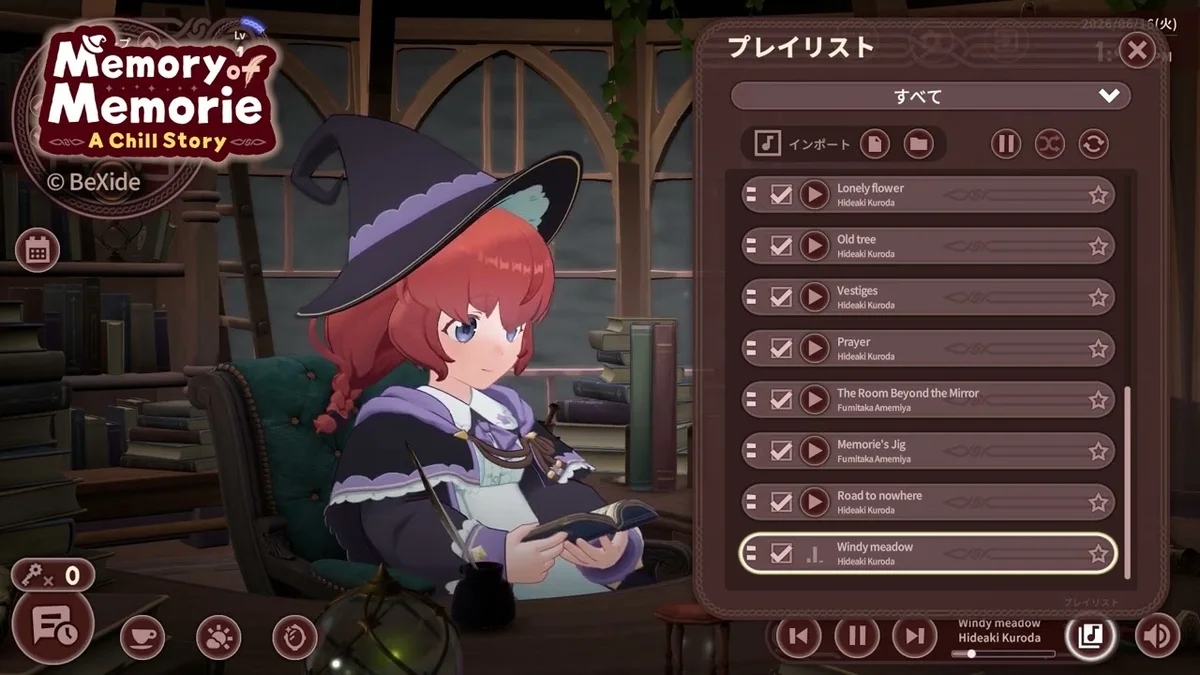
Preset system overview
Presets store snapshots of camera angle, room item layout, and environment settings (lighting, window theme, active magic FX) in Memory of Memorie : A Chill Story. Once you own multiple room items, manual reconfiguration each session wastes focus minutes—presets restore favorite vibes instantly.
BeXide Inc. typically grants one free preset slot early, with additional slots costing keys or unlocking via story mid-act.
Creating a preset
- Enter decor mode (Customize Room).
- Arrange items and camera.
- Open preset panel → Save as new.
- Name by task type (Study, Stream, Read).
Switching presets
Select preset before starting Pomodoro timer so focus music matches mood—Soundtrack pairings.
Slot expansion
| Slot | Typical requirement |
|---|---|
| 1 | Tutorial free |
| 2 | 1 key or chapter 3 flag |
| 3+ | 2 keys each launch estimate |
Confirm in-game shop for patch changes.
Streaming use case
Streamers maintain Wide and Timer-close presets; swap without alt-tab delay on PC Controls.
Demo carryover
Preset data may import with save—test after Demo Carryover.
Presets for streamers and mood switching
Presets save camera position, active room layout, and sometimes lighting mixes in Memory of Memorie : A Chill Story. BeXide Inc. gates three slots for Preset Master among 15 Steam achievements—enough for “study,” “story reading,” and “screenshot” angles in Elmana Village.
Presets never consume extra keys once features unlock—they reduce menu friction between Pomodoro blocks when you want Memorie’s desk to feel different without rebuying Room Items. Demo carryover may reset slot count; verify after Demo Progress Carryover.
Extended reference
This section adds practical context for layout snapshot slots in Memory of Memorie : A Chill Story. BeXide Inc. released the title in July 2026 on Steam (Windows and macOS), Nintendo Switch, and Nintendo Switch 2 Edition. You play beside Memorie, an apprentice witch in Elmana Village, progressing through honest Pomodoro focus rather than combat grinding.
Keys arrive from experience level-ups after completed work blocks. Spend them at the Lightroot Tree for story beats or on room unlocks and magic unlocks documented in the Unlocks hub. The in-game calendar logs finished sessions—pair calendar streaks with Achievement Tips when hunting all 15 Steam achievements.
Platform parity matters for daily habits. Switch handheld sessions should still use in-game timer completion so calendar dots and XP register; PC players alt-tabbing during blocks risk losing focus without pausing real-world obligations. Demo veterans migrating saves should read Demo Progress Carryover before assuming key balances match a fresh start.
For session planning, cross-read How to Use Pomodoro, Experience and Keys, and Chapter Guide so layout snapshot slots decisions align with your real schedule. Memorie’s chill tone rewards gentle consistency—return after busy days without punitive resets.
Community verification
Fan wiki pages update after major patches. Confirm store listings on Steam when key tables or achievement wording shift. Nintendo eShop notes for Switch 2 Edition may mention sharper UI scaling without changing Pomodoro rules.
Returning players often ask whether missed calendar days block story progress—they do not. Memorie waits at the desk until you finish your next honest block, then keys flow again from XP. Optional Lightroot Tree branches may need saved keys; note planned spends in Focus Session Planner before marathon study nights on Steam or Switch 2.
Additional context
This section adds practical context for layout snapshot slots in Memory of Memorie : A Chill Story. BeXide Inc. released the title in July 2026 on Steam (Windows and macOS), Nintendo Switch, and Nintendo Switch 2 Edition. You play beside Memorie, an apprentice witch in Elmana Village, progressing through honest Pomodoro focus rather than combat grinding.
Keys arrive from experience level-ups after completed work blocks. Spend them at the Lightroot Tree for story beats or on room unlocks and magic unlocks documented in the Unlocks hub. The in-game calendar logs finished sessions—pair calendar streaks with Achievement Tips when hunting all 15 Steam achievements.
Platform parity matters for daily habits. Switch handheld sessions should still use in-game timer completion so calendar dots and XP register; PC players alt-tabbing during blocks risk losing focus without pausing real-world obligations. Demo veterans migrating saves should read Demo Progress Carryover before assuming key balances match a fresh start.
For session planning, cross-read How to Use Pomodoro, Experience and Keys, and Chapter Guide so layout snapshot slots decisions align with your real schedule. Memorie’s chill tone rewards gentle consistency—return after busy days without punitive resets.
Community verification
Fan wiki pages update after major patches. Confirm store listings on Steam when key tables or achievement wording shift. Nintendo eShop notes for Switch 2 Edition may mention sharper UI scaling without changing Pomodoro rules.
Related
Presets respect that different real tasks need different desk energy.
Frequently Asked Questions
Quick answers about Memory of Memorie : A Chill Story.
Overwrite preset?
Yes with confirm dialog.
Export presets?
Not supported—save file only.
Preset count achievements?
Check list for creation trophies.
Broken preset after patch?
Re-save if items moved.